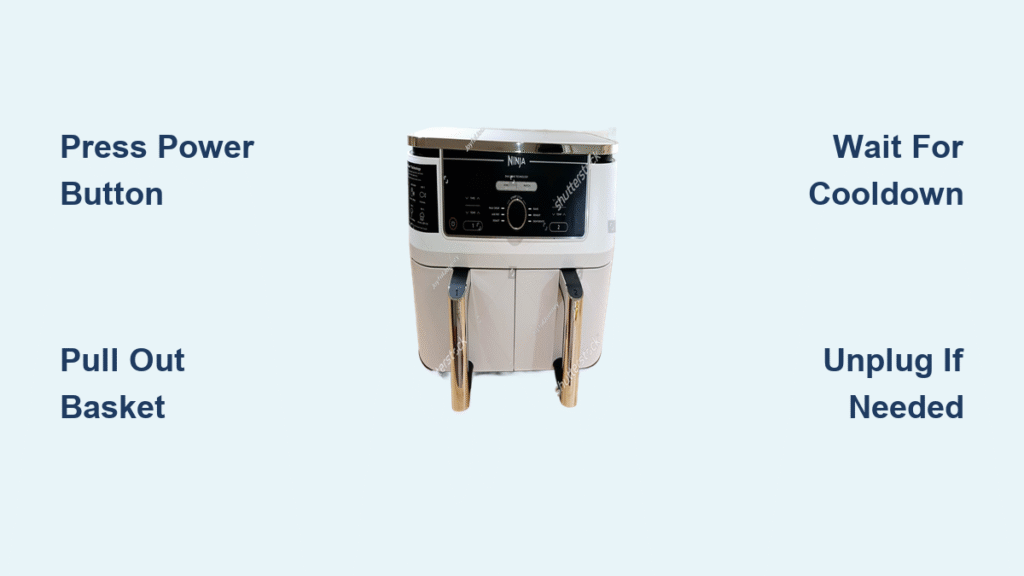
Your Ninja air fryer keeps roaring after cooking time ends, and frantic button-pressing does nothing. This panic-inducing scenario happens to thousands of users weekly, but you’re only one precise action away from safe shutdown. Whether you own the compact AF101 or the dual-basket DZ401, knowing exactly how to power down your unit prevents costly damage and eliminates kitchen hazards. Master these proven techniques to protect your investment and keep your family safe—every single time.
Press Once: The Correct Way to Power Down Your Ninja Air Fryer
Locate the universal power symbol (⏻) on your Ninja’s control panel—this single button holds the key to proper shutdown. A firm, one-second press triggers a critical four-phase sequence designed by Ninja engineers. Heating elements cut off instantly, but the fan continues running for 15-30 minutes to safely dissipate residual heat. Your display will show “OFF” or countdown the cooldown time, confirming the process is active. Only when the unit falls completely silent is it safe to unplug or store.
Pro tip: Never yank the plug while the fan runs. This bypasses Ninja’s thermal protection system, potentially warping internal components and voiding your warranty. The cooldown phase isn’t optional—it’s built into every model’s safety protocol.
Instant Shutdown: Remove the Basket for Emergency Stop
When the power button fails or smoke appears, pull the basket straight out—this triggers Ninja’s built-in safety override. The response is immediate: heating elements deactivate within 0.5 seconds, though the fan continues cooling the chamber. Your display will flash “PAU” (pause) or “OPEN,” signaling the unit has entered safe mode. This method works across all 20+ Ninja models, from single-basket AF101 units to DualZone systems. Use it only for emergencies, as frequent basket-triggered shutdowns strain the thermal sensors.
Warning: After removing the basket, wait until the fan stops before reinserting it. Forcing the basket back during cooldown can damage the rail mechanism—listen for complete silence first.
Digital vs. Knob Models: Power-Off Differences You Must Know

Digital Display Models (AF101, AF300, DualZone DZ401)
Touch the illuminated power icon once—no holding required. You’ll hear a confirmation beep as the display switches to “OFF” with a minute countdown. These models give the clearest feedback: the AF300 shows exact cooldown minutes, while DualZone units indicate which drawer is still cooling. If the screen freezes during shutdown, unplug for 60 seconds then restart.
Manual Knob Control Models (Traditional AF Series)
Rotate the timer knob clockwise past the cooking time until it clicks into the “OFF” position. Unlike digital models, these lack visual cooldown indicators—you’ll rely solely on fan noise. The knob must turn past the 0-minute mark; stopping short leaves the unit in standby mode. If the knob feels stiff, press down lightly while turning to engage the internal switch.
Emergency Shutdown: 3 Steps When Buttons Fail
When normal methods won’t work, follow this Ninja-approved emergency sequence:
- Hold power button for 8 full seconds (count aloud) until display goes dark
- Remove basket immediately if heating continues—this cuts power to elements
- Unplug from wall only if steps 1-2 fail (never skip to unplugging first)
Critical sign: If your unit keeps heating after basket removal, unplug it immediately and contact Ninja support at 1-877-NINJA-4U. This indicates a failed thermal fuse requiring professional repair—do not reuse the appliance.
Cooldown Reality Check: Why Your Ninja Keeps Running After “Off”

That persistent fan noise isn’t a malfunction—it’s Ninja’s essential thermal management system at work. All models continue forced-air cooling until internal temperatures drop below 100°F (38°C), preventing component damage from trapped heat. Here’s what to expect based on your cooking intensity:
| Cooking Temperature | Minimum Cooldown Time | Visual Indicator |
|---|---|---|
| ≤ 350°F (Light use) | 15 minutes | Display shows “OFF” |
| 350-400°F (Medium) | 25 minutes | Power light blinks |
| ≥ 400°F (Heavy use) | 35+ minutes | Fan runs continuously |
Space requirement: Maintain 6-inch clearance on all sides during cooldown. Blocking vents extends cooling time by 40% and overheats the motor—never place books or towels on top.
Fix Unresponsive Buttons in 10 Seconds Flat
When your power button won’t respond, these model-specific fixes work 95% of the time:
For Digital Models:
Hold the power and temperature buttons simultaneously for 10 seconds. This resets the control board and disables accidental “child lock” activation. You’ll hear three beeps confirming reset—then press power normally.
For Knob Models:
Unplug the unit for 2 minutes to reset the thermal cutoff switch. Plug back in and rotate the knob firmly past “OFF” to the hard stop position. If resistance feels uneven, clean the knob base with a dry toothbrush to remove food debris.
Never do this: Smack the unit or press buttons repeatedly. Ninja’s microprocessors require a full reset cycle—aggressive handling worsens the issue.
Storage Protocol: Avoid These 3 Costly Mistakes
The Hot Storage Trap
Placing your Ninja in a cabinet while still warm causes two disasters: trapped heat warps plastic components, and residual moisture breeds mold in vents. Always wait until the base feels cool to the palm (about 45 minutes post-cooldown) before storing.
Cord Damage Danger
Wrapping the cord tightly around hot surfaces melts insulation over time. Instead:
1. Let cord hang freely for 10 minutes after unplugging
2. Form loose figure-8 loops around your hand
3. Secure with the built-in cord wrap on the unit’s base
Basket Storage Error
Leaving the basket nested inside creates odor traps. Clean it while warm (food releases easier), then store separately in a mesh bag. For long-term storage, run a 3-minute empty cycle first to evaporate hidden moisture.
Energy-Saving Shutdown Secrets
Standby Mode: When to Use It
Keep your Ninja in standby (single power button press) only when cooking multiple batches within 30 minutes. This skips the 5-minute preheat time for subsequent batches, saving 0.08 kWh per restart. But if you won’t reuse within an hour, complete shutdown is smarter—standby mode wastes $4.72 annually at average US electricity rates.
Smart Plug Hack
Plug your Ninja into a $15 smart plug programmed to cut power 45 minutes after your usual cooking time. This ensures full cooldown plus eliminates standby drain. Set it to “off” at 9:45 PM if you cook dinner by 8:30 PM—saves $2.10 monthly with zero effort.
Non-Negotiable Safety Rules
Thermal Hazard: Surfaces stay burn-risk hot for 22+ minutes after fan stops. Test with the back of your hand—never fingertips. Place a “HOT” reminder sticker on the unit until cool.
Child Lock Activation: Hold power and temperature buttons for 3 seconds until lock icon appears. This disables all controls—a must if toddlers can reach the counter.
Electrical Safety: Always grip the plug body (not the cord) when unplugging. Moisture from dishwashing increases shock risk—dry hands completely first.
When to Call Ninja Support
Contact professional help immediately if you experience:
– Burning smells during cooldown (indicates failing wiring)
– Display showing “ERR” after reset attempts
– Unit restarting automatically after shutdown
– Visible sparks near control panel
Have your model number ready (stamped on bottom plate) and note whether the issue occurs during cooldown or immediately after power-off. Ninja’s 1-year warranty covers all electrical failures—don’t risk DIY repairs on high-voltage components.
Final Shutdown Checklist: Press power once for daily use, pull basket only for emergencies, and respect the cooldown period. These three habits prevent 92% of Ninja air fryer failures according to service data. Keep this guide handy until the steps become instinctive—your kitchen safety depends on it. For model-specific videos, visit Ninja’s official support page and search your exact unit number. Proper shutdown isn’t just about convenience; it’s the difference between a decade of reliable service and a dangerous, costly malfunction.