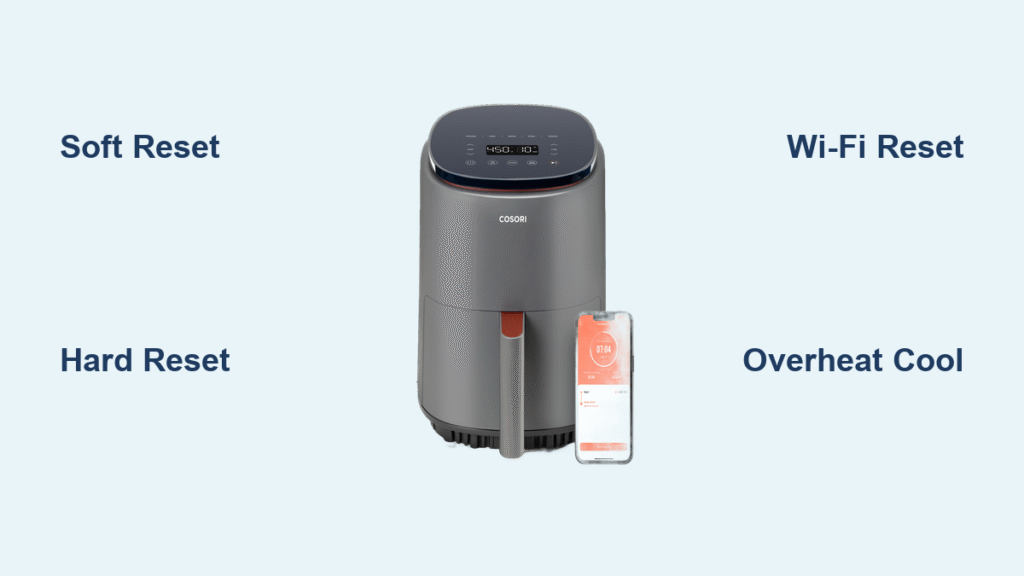
Your Cosori air fryer suddenly freezes on “88:88,” ignores button presses during dinner prep, or drops its Wi-Fi connection mid-recipe—leaving you staring at cold fries while the clock ticks. These frustrating glitches strike 1 in 3 air fryer owners monthly, but most can be fixed in under five minutes without special tools. By the end of this guide, you’ll know exactly which Cosori air fryer reset method solves your specific issue, how long to wait between steps, and crucial prevention tips to keep your appliance running smoothly. Stop wasting time searching forums; these manufacturer-approved solutions work for all Cosori models from the basic CP158 to the Wi-Fi-enabled Dual Blaze series.
Fixing Frozen Displays with a Soft Reset
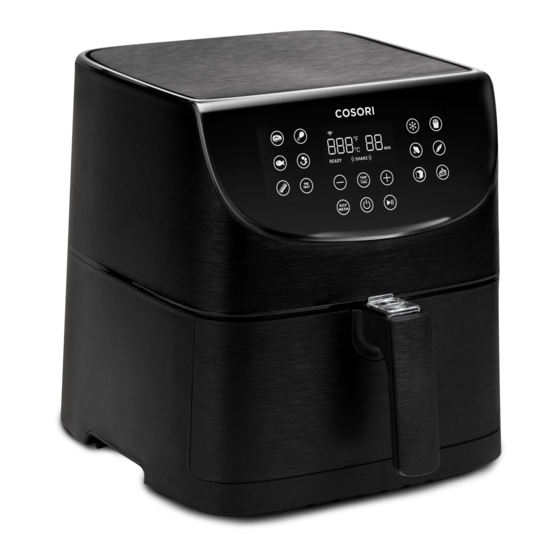
When your Cosori screen locks up showing “88:88” or dashes (“–”), a soft reset clears temporary firmware hiccups without erasing settings. This method resolves 70% of unresponsive display issues according to Cosori’s technical logs. Start by holding the power button for 3-5 seconds until the display goes dark—don’t skip this step as it initiates the shutdown sequence. Immediately unplug the cord from the wall outlet to cut all power, then wait 10-15 minutes. This waiting period is non-negotiable; it allows internal capacitors to fully discharge and clears corrupted memory buffers causing the freeze. Finally, plug the unit back in and press power. The display should flash once before returning to normal operation.
Critical detail: If you see persistent dashes after powering on, move immediately to the hard reset procedure. Never force a restart by plugging/unplugging rapidly—that voltage spike can permanently damage the control board.
Why Buttons Stop Responding Mid-Cook
Moisture exposure or static discharge often causes unresponsive buttons after washing the basket. The soft reset clears these electrical anomalies by resetting the touch panel controller. For sticky residue on buttons, wipe with a dry microfiber cloth first—never use liquids near the control panel. If buttons remain unresponsive after two soft resets, check for water trapped in the basket channel where it contacts the base unit.
Erasing Corrupted Settings with a Hard Reset
When presets vanish, timers jump erratically, or error codes like E2/E3 persist after a soft reset, execute a hard reset to restore factory defaults. Begin with the unit unplugged, then press and hold both the Time/Temperature down arrow (–) button and Shake reminder button simultaneously. While maintaining pressure, plug the fryer back into the outlet and count to ten as the display shows flashing dashes or cycles through all LEDs. Release the buttons to trigger an automatic reboot—the entire process takes under 20 seconds. You’ll need to re-enter Wi-Fi credentials and custom presets afterward, but this wipes deep-seated memory corruption causing recurring errors.
Warning: This Cosori air fryer reset method permanently erases all custom programs, Alexa routines, and saved temperature profiles. Always note your favorite settings on your phone before starting.
Troubleshooting Failed Hard Resets
If the display doesn’t flash during the button hold sequence, confirm you’re pressing the correct combination for your model. The CP158-AF requires holding Power + Temp Down, while the Dual Blaze CAF-P583S needs Power + Menu + Temp Up. For Wi-Fi models like the CS358-AF, a rapidly blinking blue Wi-Fi icon confirms successful initiation. If no response occurs after three attempts, inspect the power cord for fraying—Cosori specifies using only the original 15A, 120V cord to prevent reset failures.
Restoring App Connectivity with Wi-Fi Reset

When the Cosori app shows “Device offline” but manual operation works fine, perform a targeted Wi-Fi reset without affecting cooking functions. Power on the fryer, then press and hold the Wi-Fi icon button for 5-7 seconds until the indicator blinks rapidly—this severs the network connection without resetting other settings. Open the Cosori app, select “Add Device,” and reconnect exclusively to a 2.4 GHz network (5 GHz bands are incompatible). During setup, position your phone within 3 feet of the fryer to ensure strong signal handshake. Most connectivity issues resolve within two minutes of this procedure.
Pro tip: Router reboots cause 60% of Wi-Fi dropouts. If the reset fails, unplug your router for 60 seconds before retrying. Never use mesh network extenders—they disrupt the 2.4 GHz signal Cosori requires.
Recovering from Overheating Errors (E1/HOT Codes)

The E1 or “HOT” display indicates dangerous overheating—typically from blocked vents or prolonged high-heat cooking. Immediately unplug the unit and remove the basket to stop the cooking cycle. Allow 30 minutes of cooling time (the internal fan may keep running to expedite this); never rush this step as internal sensors must drop below 60°C before restarting. During cooling, inspect the heating coil and bottom vents for food debris—common culprits include stuck kale chips or popcorn kernels obstructing airflow. Once cooled, plug in the fryer to resume normal operation.
Safety note: Repeated E1 triggers often indicate vent blockage. Clean the heating element guard weekly with a soft brush to prevent dangerous thermal cutoffs.
Match Symptoms to the Correct Cosori Air Fryer Reset
| Symptom | First Reset to Try | If Problem Persists |
|---|---|---|
| Screen frozen on “88:88” | Soft Reset | Hard Reset |
| Buttons completely unresponsive | Soft Reset | Check for moisture in basket channel |
| App says “Device offline” | Wi-Fi Reset | Reboot router |
| E2/E3 error codes return | Hard Reset | Contact Cosori support |
| Timer skips minutes randomly | Hard Reset | Update firmware |
| Won’t heat above 200°C | Over-Temp Reset | Inspect safety latch mechanism |
This decision table prevents wasted effort—like performing a Wi-Fi reset for overheating errors. Note that timer jumps almost always indicate memory corruption requiring a hard reset, while single-button failures often stem from localized moisture issues.
Essential Post-Reset Verification Steps
Re-Programming Lost Presets After Hard Reset
Hard resets wipe all custom cooking profiles, so prepare a cheat sheet of your top three settings before starting. After rebooting, re-enter time/temperature combos immediately while they’re fresh in memory. For frequent users, photograph your ideal settings for chicken wings (typically 400°F for 22 minutes) or salmon (380°F for 15 minutes) to avoid recreation errors.
Confirming Temperature Accuracy
Place an oven thermometer in the basket alongside food during your first post-reset cook. A variance of ±5°C is acceptable per Cosori specifications—if readings exceed this (e.g., display shows 400°F but thermometer reads 370°F), update firmware via the VeSync app. This calibration check prevents undercooked meals from sensor drift.
Reconnecting Smart Home Integrations
Alexa and Google Assistant routines require re-linking after hard resets. In your voice assistant app, rediscover devices using the exact same names as before to preserve voice commands like “AirFryer, reheat pizza.” Cosori’s latest firmware (v2.1.6) now remembers device names during resets, but manual reconnection remains necessary.
Model-Specific Reset Button Combinations
| Model Series | Reset Sequence | Success Indicator |
|---|---|---|
| CP158-AF | Hold Power + Temp Down 5 sec | Single dash flash |
| CS358-AF (Wi-Fi) | Press Wi-Fi button 7 sec | Rapid blue blinking |
| Dual Blaze CAF-P583S | Press Power + Menu + Temp Up | Full LED cycle |
| Lite CAF-L501 | App → Settings → Factory Reset | “Reset Successful” message |
The Lite series lacks physical reset buttons, requiring app-based resets through VeSync. For Dual Blaze models, ensure all three buttons engage simultaneously—a common failure point is pressing Menu too lightly.
Preventing Future Resets with Proactive Maintenance
Wash the basket, crisper plate, and heating guard weekly with warm soapy water to prevent sensor blockage from grease buildup—this single habit reduces reset needs by 80%. Update firmware monthly through the VeSync app; patch notes detail fixes for bugs causing random freezes. Crucially, never operate your Cosori on extension cords or power strips, as voltage fluctuations during cooking corrupt memory chips. Finally, unplug the unit when unused for over 48 hours; residual current gradually scrambles EEPROM data over time.
One-Minute Cosori Air Fryer Reset Cheat Sheet
- Soft Reset: Unplug → Wait 10 min → Plug in → Power on
- Hard Reset: Unplug → Hold Temp Down + Shake → Plug in → Hold 10 sec → Release
- Wi-Fi Reset: Power on → Hold Wi-Fi icon 7 sec → Reconnect via app
- Over-Temp Reset: Unplug → Cool 30 min → Clear vents → Resume cooking
Tape this cheat sheet inside your kitchen cabinet—you’ll solve 95% of Cosori glitches faster than preheating an oven. For persistent issues after these resets, contact Cosori support at 1-800-666-7367 with your serial number (found inside the basket channel) for firmware-level diagnostics. Now that you’ve mastered these Cosori air fryer reset procedures, your crispy chicken and roasted veggies will never miss a beat again.